Implementation
Someone needs to own the AI after launch
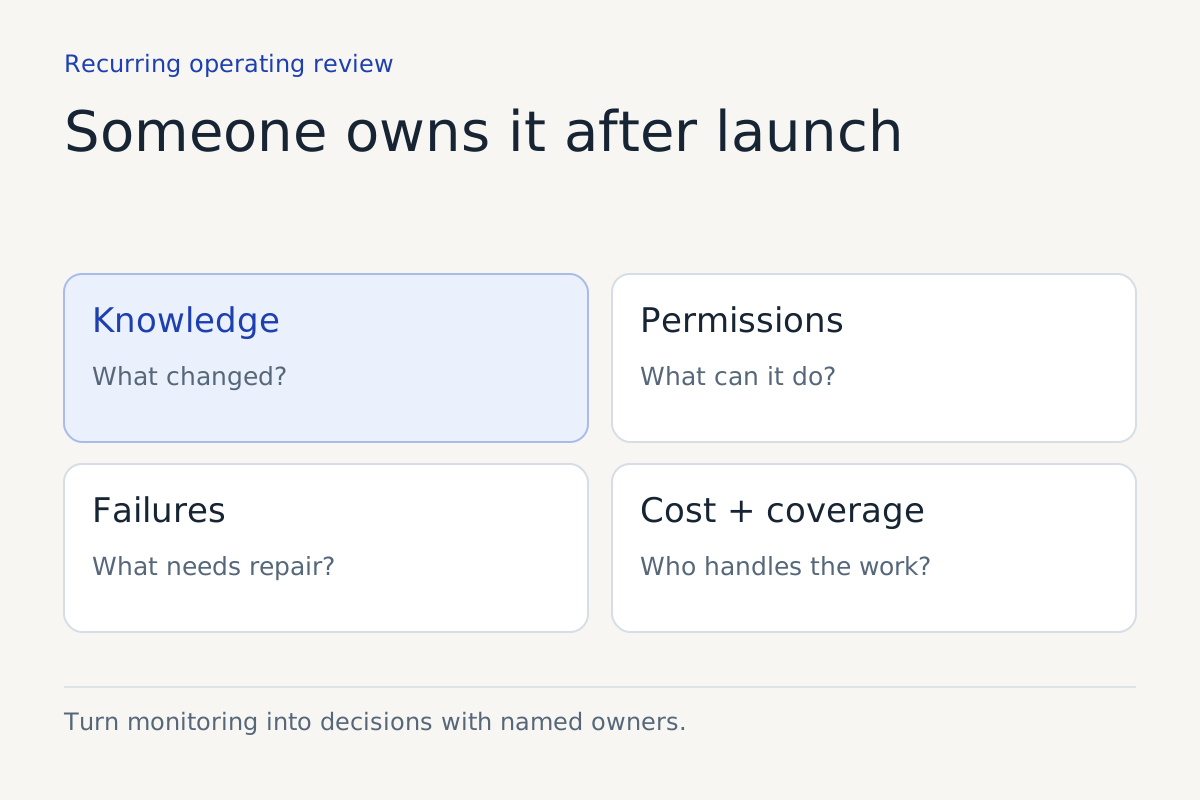
Create a recurring operating agenda for changes, permissions, errors, costs and escalation coverage.
Published · Collection dates are retrospective editorial dates.
The launch meeting ends. The business changes its hours, a supervisor leaves, a policy is revised and a scheduling field is renamed. Each change looks ordinary to the team making it. Together, they can make the automated workflow wrong.
An AI system needs an operational owner because the business around it will keep moving. That owner does not need to personally repair every technical issue. They need authority to coordinate changes, inspect evidence, assign work and pause capabilities that no longer meet the agreed boundary.
“IT owns it” is incomplete if IT cannot approve customer policy. “Operations owns it” is incomplete if operations cannot obtain logs or change permissions. The ownership model has to cover the seams.
Assign the decision rights
Write down who can approve knowledge, change the workflow, grant access, accept risk and authorize customer recovery. Smaller organizations may combine roles, but the decisions still need to be distinguishable.
For a hypothetical multi-location service business, a branch manager may approve opening hours, a central operations lead may approve booking rules, and an administrator may control calendar access. The system owner coordinates those inputs and ensures they are tested together.
| Responsibility | Evidence the owner should receive | Decision to make |
|---|---|---|
| Knowledge maintenance | Changed source and approval record | Publish, reject or retire the content |
| Access review | Current service accounts and permissions | Retain, restrict or remove access |
| Error review | Examples grouped by consequence | Fix, narrow scope or pause |
| Cost review | Usage and associated human effort | Adjust capacity or investigate waste |
| Handoff coverage | Queue ownership and unaccepted tasks | Change coverage or customer expectations |
This is an original agenda. Adapt it to the actual systems and responsibilities rather than creating a parallel process staff cannot maintain.
Choose a cadence that matches the work
A newly launched workflow may require frequent inspection. A stable, low-volume task may need a different rhythm. Changes with serious consequences deserve review when they occur, not only at the next scheduled meeting.
Set a recurring review time and define events that trigger an immediate review. Examples include an unauthorized action, a changed policy affecting eligibility, a broken integration or loss of the named escalation recipient. These examples are operating recommendations, not universal incident classifications.
Do not make the agenda so large that the meeting becomes a recital of dashboard numbers. Ask which decisions need to be made. If the dashboard cannot explain a trend, inspect the underlying work before assigning a cause.
Keep a change record worth reading
Record what changed, why, who approved it, what was tested and how it can be reversed. Link the change to the relevant workflow version and knowledge source. A short coherent record is more useful than a collection of screenshots with no explanation.
Separate content changes from authority changes. Updating an address differs from allowing the assistant to cancel an appointment. A new tool permission can change the consequences of an otherwise familiar conversation.
If the provider cannot pin a version, ask what testing and monitoring are available around updates. The operating owner needs to know which assumptions are under the business's control and which depend on another party.
Review exceptions as unfinished work
Look at the oldest unresolved items, repeated failures and tasks with no accepted owner. Ask whether customers were given an accurate expectation. A low overall exception count can conceal a small number of people waiting indefinitely.
Use exception categories that lead to action. Missing knowledge, ambiguous policy, failed dependency, unauthorized request and unavailable person each imply different owners. Avoid a catch-all category called “AI error” that sends every issue back to the developer.
Where the underlying policy is undecided, record the business decision needed. Repeatedly rewriting the assistant's wording cannot settle whether the company should make an exception for a customer.
Watch costs with the workflow attached
Track spending by the task or channel where practical. Include human review and maintenance. Look for changes in retries, conversation length or failed actions that could explain a bill increase.
A hypothetical rise in usage after adding a second location may be expected. The same rise with no demand change may require investigation. The point is to connect costs to work, not to treat every increase as waste or every decrease as success.
Keep the exit procedure current. Know how to export required records, retire access and redirect customer traffic. A system that was easy to leave at launch can become difficult to leave after dependencies accumulate.
Give the owner permission to narrow scope
The owner should be able to say that a task remains too ambiguous, a queue is unstaffed or a dependency is unreliable. That decision should trigger a working fallback with clear customer communication.
The NIST AI risk management framework supplies a voluntary governance context. The agenda here is our own operating proposal for making ongoing responsibility concrete.
Ownership means someone can change the operation when the evidence changes.
Before closing the next review, assign every unresolved decision to a person with a due date appropriate to the issue. Then confirm that the frontline team can find the current process. An ownership chart only earns its space when it changes what happens after the next failure or business update.
Sources
Explore the workflow considerations for ai workflow integrations.
Keep reading