Operations
Reminders cannot fix every missed appointment
Separate reminder delivery from cancellation, rescheduling, and practical barriers before expanding appointment automation.
Published · Collection dates are retrospective editorial dates.
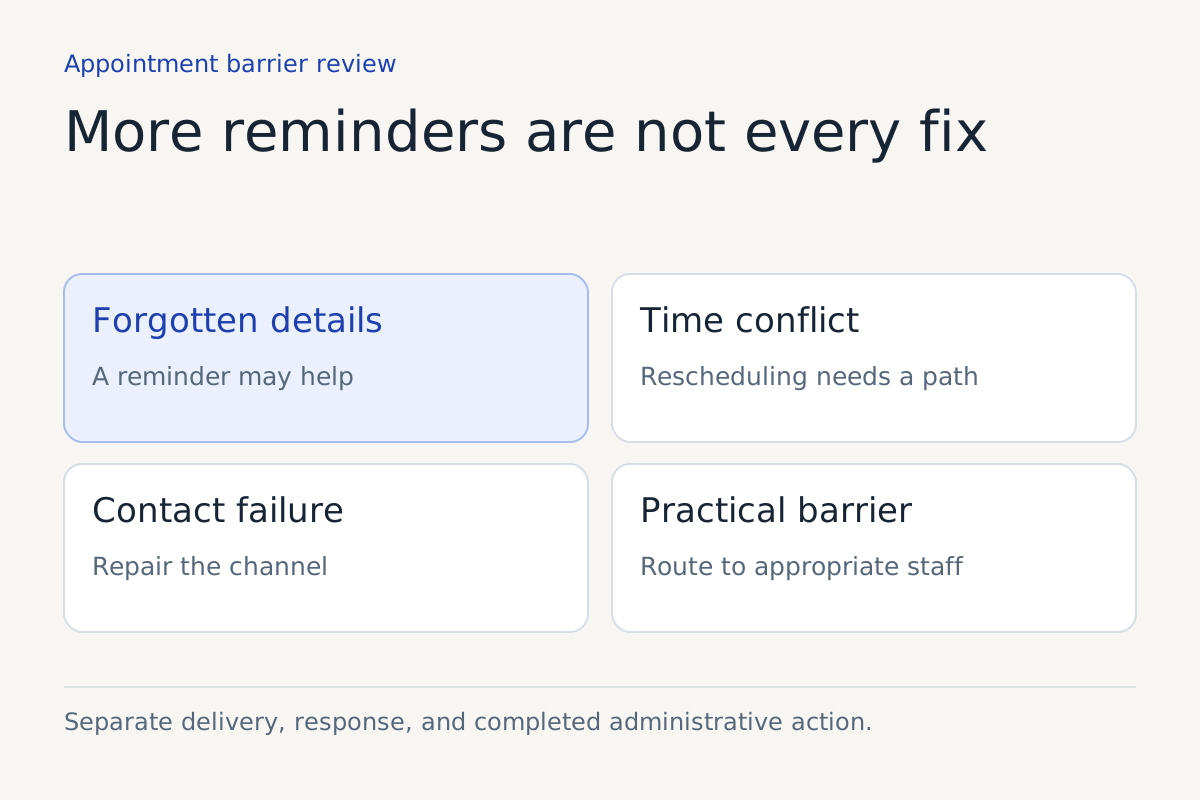
A reminder solves a particular problem: the person may have forgotten an appointment or need its details again. It does not create transport, change a work shift, resolve a billing concern, or make an unsuitable time convenient.
When a practice treats every missed appointment as a reminder failure, it can send more messages while leaving the real obstacle untouched. The better operating question is which step prevented the appointment from happening and what the practice can responsibly do about it.
This article proposes a practical review for appointment-based operations. Healthcare decisions, clinical follow-up priorities, and patient-specific advice remain with the practice's approved professional process.
Separate reminder, cancellation, and recall
AHRQ's reminder-systems guidance distinguishes reminders before a scheduled appointment from recall contact after a missed appointment. Its underlying studies include older evidence, so they should not be turned into a current local performance forecast.
Keep the workflows separate in the system as well. A reminder asks the person to remember or confirm an existing appointment. A cancellation changes the appointment state. A rescheduling request seeks a different appointment. A recall process addresses follow-up after the missed event under the business's appropriate rules.
If the assistant records a request to reschedule but leaves the original appointment unchanged, another reminder can create confusion. The workflow needs to show what is still booked and what remains pending.
| Customer response | Appropriate administrative work | Boundary |
|---|---|---|
| “I forgot the time” | Repeat the verified details | Do not alter the appointment |
| “I cannot make it” | Follow approved cancellation or rescheduling process | Confirm whether the original remains booked |
| “I need a different day” | Offer authorized availability or request review | Do not promise unavailable capacity |
| “I cannot use that link” | Provide an approved alternate route | Avoid repeating the same blocked path |
| No response | Keep delivery and response states distinct | Do not assume attendance or refusal |
This is an original operating table, not a universal clinical protocol.
Find out what the delivery status means
A sent message is evidence of an attempted communication. A delivered message is not necessarily evidence that the intended person read it. A confirmation response may still leave an unrecognized practical barrier.
Use the actual channel's documented states and preserve their meanings. Do not label a message “confirmed” merely because the sending service accepted it. The appointment confirmation should be a separate state with an agreed definition.
Check failed contact details through the approved administrative process. If an address or phone number is wrong, repeated automation will produce repeated failure. Give staff a visible list of contact problems instead of allowing the system to silently exhaust its retries.
AHRQ's follow-up tool recommends asking patients about contact preferences and recording follow-up responsibilities. Apply those points to the reminder workflow without assuming a universal cadence or that every person wants text messages.
Ask about the barrier without inventing it
For a hypothetical practice review, sample missed appointments and examine whatever verified reasons the business is permitted to record. Keep “reason unknown” as a valid category. Staff impressions should not be recorded as the customer's explanation.
Possible administrative categories might include forgotten details, scheduling conflict, difficulty using the booking process, contact failure, or a request that did not get completed. The categories should support an action. Avoid collecting unnecessary sensitive information simply to make the analysis feel complete.
If the customer says they need a different time, record that request and route it. The assistant should not infer a clinical priority or recommend whether delaying care is safe. That question belongs in the practice's professional process.
Make cancellation easy to understand
A person who cannot attend needs a clear way to tell the business. If the message only says “do not reply,” the practice should provide another supported route and explain what happens next.
Distinguish receipt of a cancellation request from completion of the cancellation. If policy requires staff review, say so. If a self-service action completes the change, verify the authoritative record and send an accurate confirmation.
Google Calendar's event-creation documentation illustrates the value of a stable event reference. In any scheduling system, keep a reliable appointment identifier so changes and reminders refer to the correct event rather than a loosely matched name and date.
Measure the whole administrative chain
A reminder pilot should examine message delivery, responses, completed cancellations, rescheduling requests, and staff repair work. Attendance is important, but it does not explain every mechanism by itself.
Keep the denominator clear. Are you comparing scheduled appointments, confirmed appointments, or people contacted? Are cancelled appointments excluded, and under what definition? A change in categorization can create an apparent improvement without any change in service.
Avoid promising a particular reduction in missed appointments from general research. The local result depends on the baseline, contact quality, scheduling process, customer circumstances, and the work staff can do when a barrier is identified.
Choose cadence after the workflow works
More reminders are not automatically better. Choose timing and frequency under the business's approved communication rules and customer preferences. Review complaints, opt-outs, duplicate messages, and the staff work generated by responses.
Start with a limited appointment type and verify that corrections, cancellations, and requests for help reach the appropriate team. A reminder system becomes useful when it supports action, including the action of telling the practice that the appointment will not happen.
If the review finds that many missed appointments arise from barriers the reminder cannot address, preserve that finding. It may point to scheduling changes, better contact records, or staff assistance rather than more automation.
Keep reading